

How to Hide TV Cables After Wall Mounting a TV

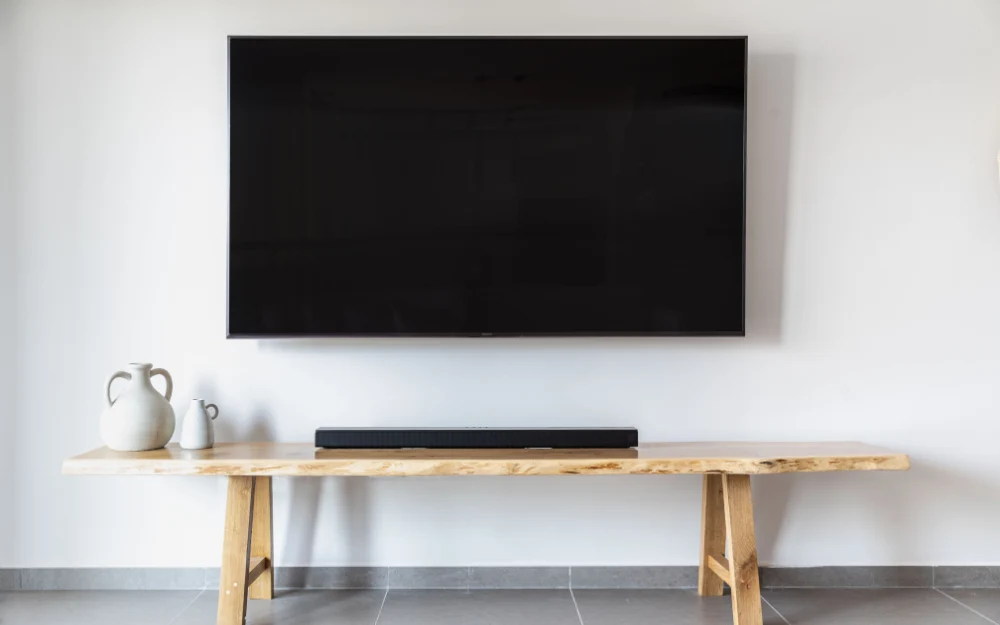
Wall mounting a TV can create a clean and modern look, but visible cables can take away from the finished appearance. Power cords, HDMI cables, antenna wires, Ethernet cables, and connections for soundbars or gaming consoles can quickly make a wall-mounted setup look cluttered.
The good news is that there are several ways to hide TV cables, ranging from simple surface-mounted cable management to routing cables inside the wall. The best method depends on the wall construction, the number of cables, the location of power outlets, and whether you are installing the TV as part of a decorative TV wall.
In this guide, we will explain the main ways to hide TV cables, what to consider before mounting the television, and how to create a cleaner cable-management setup.
Why Is Cable Management Important for a Wall-Mounted TV?
When a TV sits on a cabinet or TV stand, cables can often be routed behind the furniture where they are less noticeable. A wall-mounted television has no furniture directly supporting it, so poorly positioned cables can become much more visible.
A clean cable-management system keeps power and signal cables organized while reducing the amount of wiring visible beneath or beside the screen. This becomes particularly important when the TV is mounted on a decorative wall, wood panels, marble, or another feature wall where exposed cables can interrupt the design.
Cable management should ideally be considered before the TV is mounted, rather than after the bracket and television are already in place. Planning the cable route in advance can make the finished installation considerably cleaner.
What Cables Need to Be Hidden Behind a TV?
A typical wall-mounted TV may have several different cables connected to it. The exact number depends on the equipment being used, but common connections include:
- TV power cable
- HDMI cables
- Ethernet cable
- Antenna or satellite cable
- Optical audio cable
- USB cables
- Soundbar connections
- Gaming console cables
- Streaming device cables
Not every installation will require all of these connections. Before deciding how to hide the wiring, identify which devices will remain connected to the television and where those devices will be positioned.
This helps prevent installing a cable-management system that is too small or routing cables in a way that makes future changes difficult.
How Can You Hide TV Cables Without Cutting the Wall?
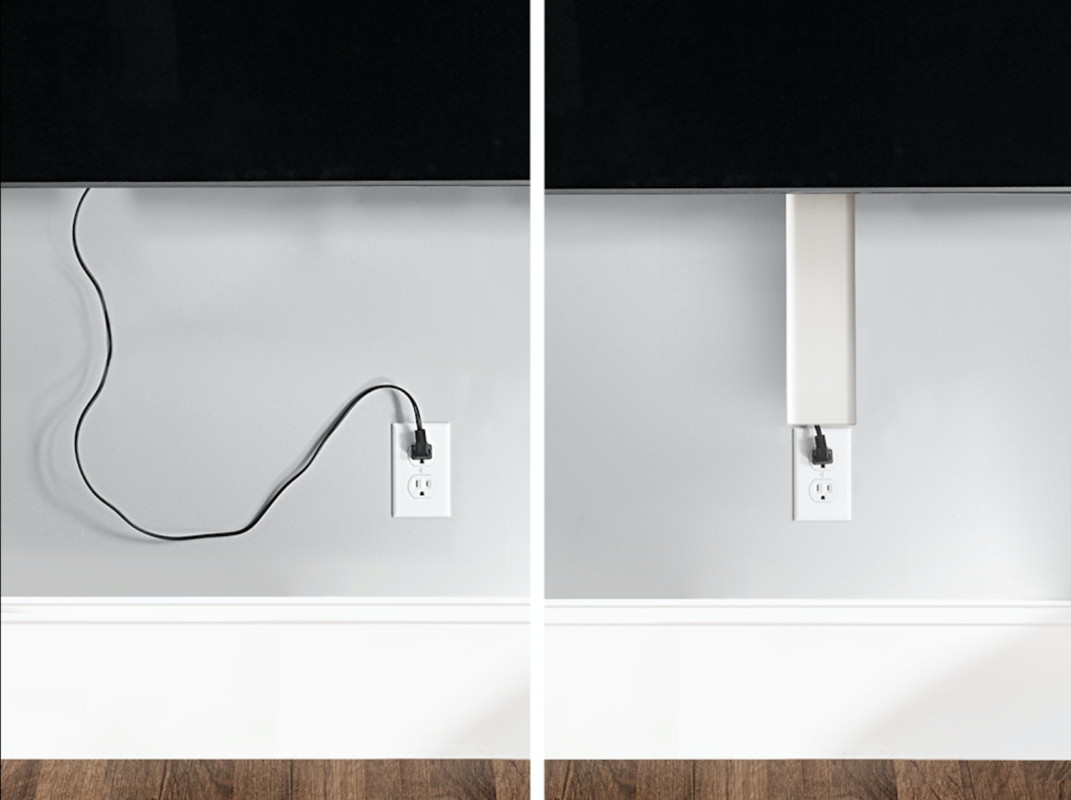
One of the simplest approaches is to use an external cable-management system that conceals the wires along the wall surface.
Cable raceways and covers can be installed vertically or horizontally to create a cleaner appearance. Many are designed to sit close to the wall and can be finished to blend with the surrounding surface.
This approach can be useful when you do not want to modify the wall or when the installation is temporary. It is also easier to access later if you need to replace an HDMI cable or add another connection.
The main disadvantage is that the cable route remains slightly visible because the raceway sits on the wall rather than inside it.
Can TV Cables Be Hidden Inside the Wall?
Yes, cables can sometimes be routed inside the wall to create a much cleaner appearance. This involves planning an appropriate route between the TV and the connection point rather than simply leaving the cables exposed below the screen.
In-wall cable routing can produce an almost completely cable-free appearance around the television. It is particularly attractive when designing a new TV wall or renovating a room where the wall can be prepared before the final installation.
However, the method needs to be appropriate for the wall construction and the type of cable being routed. Electrical wiring and low-voltage signal cables may have different requirements, so the installation should be planned accordingly.
How Should TV Cables Be Hidden in a New TV Wall?
If you are building or renovating a TV wall, cable management should be planned before the decorative surface is completed.
The location of the television, power outlet, media devices, soundbar, and other equipment should be considered together. This makes it possible to establish suitable cable routes without having to make unnecessary modifications later.
For a decorative TV wall, the cable route can be incorporated into the overall design. This is particularly useful with wood panels, TV décor, marble features, and other finishes where exposed cables can be visually distracting.
How Do You Hide Cables on a Gypsum Board Wall?
Gypsum board can provide flexibility for cable routing, but the construction of the wall needs to be understood before deciding how the cables will be positioned.
If the wall has sufficient accessible space for the intended cable route, wiring may be routed within the wall rather than being left exposed. However, the position of studs, framing, insulation, electrical components, and other obstructions can affect the available route.
It is also important to distinguish between electrical wiring and low-voltage cables such as HDMI or Ethernet. They should not simply be treated as interchangeable when planning an in-wall installation.
If the wall is already finished, an external cable-management solution may sometimes be more practical than opening the wall.
What About Marble TV Walls?
Marble and other finished stone surfaces require additional care because drilling or modifying the surface can affect the appearance of the wall.
If a television is being installed on marble, cable routing should be planned before drilling and mounting whenever possible. The objective is to keep the cables organized without creating unnecessary holes or visible routes across the finished surface.
For this type of installation, the position of the power outlet and connected equipment becomes especially important. A well-planned cable route can help preserve the clean appearance of the marble feature.
How Do You Hide Cables on Wood Panels?
Wood-panel TV walls can offer several options for cable management because the decorative panels can sometimes be designed around the television and its connections.
The cable route should be considered before the panels are permanently installed. This allows the wiring to be positioned behind or within the appropriate sections rather than creating visible cables across the finished surface.
The same principle applies to custom TV décor: plan the cables at the design stage rather than trying to hide them after everything has already been installed.
Where Should the Power Outlet Be Located?
The position of the power outlet can have a major effect on how clean the final installation looks.
Ideally, the outlet should be positioned so that the TV’s power cable does not have to travel a long distance along the wall. The same principle applies to HDMI and other connections that need to reach equipment below or beside the television.
If the TV is being installed as part of a new renovation or decorative wall, it is worth planning the outlet positions at the same time as the TV location.
This is much easier than trying to correct the cable route after the wall and television have already been completed.
What About Soundbar and Gaming Console Cables?
A wall-mounted TV often has more than just the television’s power cable. Soundbars, gaming consoles, media players, streaming devices, and other equipment can create additional wiring.
Before mounting the TV, decide where each device will be located. A soundbar directly below the television may need a short audio or HDMI connection, while a gaming console positioned several feet away may require a longer cable route.
Planning these connections together prevents the common problem of hiding the TV’s power cable while leaving several other cables visible underneath it.
Common TV Cable-Management Mistakes
Mistake to avoid while mounting a TV on a Wall.
Installing the TV Before Planning the Cables
One of the most common mistakes is mounting the television first and thinking about the cables afterward. Once the bracket and TV are in position, accessing the back of the screen can be more difficult.
Plan the cable routes, power connections, and connected equipment before final installation whenever possible.
Using Cables That Are Too Short
A cable that barely reaches its connection point can place unnecessary strain on the connector and make future maintenance more difficult.
Measure the route before purchasing cables and allow enough length for the intended setup without leaving excessive cable hanging behind the television.
Hiding Everything Without Considering Future Access
A completely concealed installation may look excellent, but you should still be able to access important connections when equipment needs to be replaced or upgraded.
Leave an appropriate route for future cable changes rather than permanently sealing every connection without considering maintenance.
Mixing Cable Management With Poor TV Positioning
Cable management cannot compensate for a poorly planned TV position. The television, furniture, power outlets, soundbar, and other equipment should be considered together.
A clean installation starts with good planning, not simply with a cable cover.
Should You Hide TV Cables Inside the Wall or Use a Cable Cover?
Both methods can work, and the better choice depends on the wall and the installation.
In-wall cable routing generally provides the cleanest appearance and can be particularly suitable for permanent installations or new TV walls. However, it requires more planning and may involve modifying the wall.
Surface-mounted cable covers are simpler, easier to access, and useful when you do not want to alter the wall. They can also be appropriate for temporary installations or situations where in-wall routing is impractical.
The important thing is to choose a method that keeps the cables organized without compromising the wall, electrical system, or future accessibility.
When Should Cable Management Be Planned?
The best time to plan cable management is before the TV is mounted.
Ideally, the TV position, bracket, power outlet, cable routes, soundbar, media equipment, and decorative wall should all be considered during the planning stage. This allows the cables to be routed in the most practical location.
If you are installing a TV into an existing room, you can still improve the cable arrangement using raceways, cable covers, or other external management solutions.
For new construction or renovation projects, however, planning the wiring before the wall is finished generally provides more options.
Can You Hide TV Cables Without Hiding the Devices?
Yes. You do not necessarily need to hide every connected device to achieve a clean setup.
For example, a gaming console, media player, or receiver can remain visible on a console or shelf while the cables connecting these devices to the TV are routed discreetly.
The goal is not necessarily to make every component invisible. Good cable management is about creating an organized route so that the wiring does not dominate the appearance of the room.
When Should You Consider Professional Installation?
Professional installation can be useful when the TV is large, the wall has a specialized finish, or the cable route needs to be incorporated into a decorative wall.
This is particularly relevant when working with surfaces such as gypsum board, marble, wood panels, or custom TV décor, where the installation method needs to account for the existing construction and finish.
A professional installation should consider the TV position, bracket compatibility, wall surface, cable routing, and final leveling as one complete setup rather than treating each part separately.
If you are planning a wall-mounted TV installation in Riyadh, you can learn more about our TV Installation in Riyadh service.
Conclusion
Hiding TV cables is not just about making wires disappear. Good cable management starts with planning the television’s position, power supply, connected devices, wall construction, and the route each cable needs to follow.
For some installations, a simple cable cover is all that is necessary. Others may benefit from carefully planned in-wall routing, particularly when a TV is being installed as part of a new decorative wall.
Whichever method you choose, plan the cable route before mounting the television. A little preparation can make the difference between a wall-mounted TV that looks unfinished and one that integrates cleanly into the room.
If you’re still deciding between mounting your TV on the wall or using a floor stand, read our guide on TV wall mount vs TV stand to compare both options.